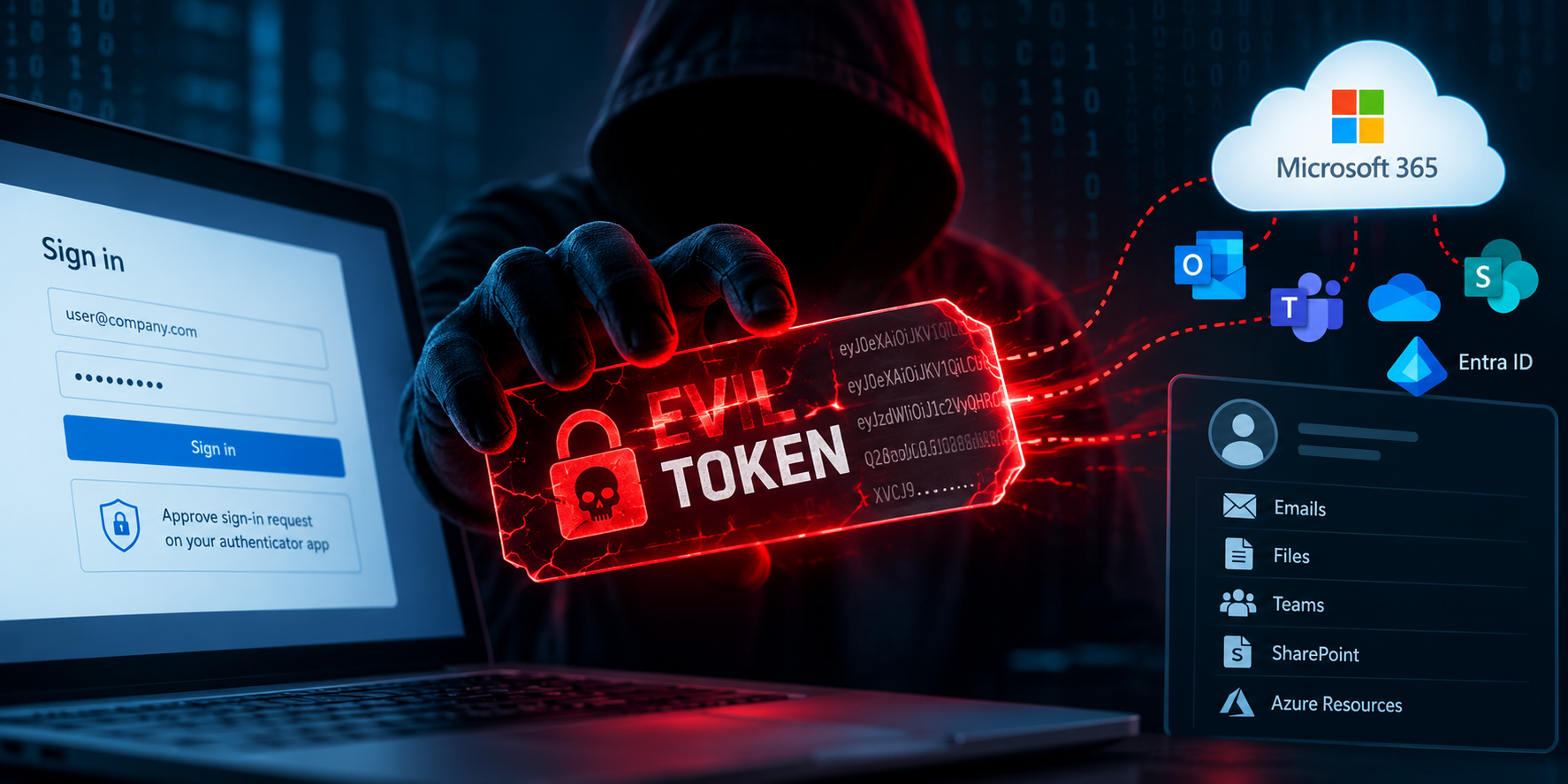
The phishing trick that uses a real sign-in page: EvilTokens explained
An email says someone shared a file with you. It gives you a short code and asks you to sign in. The link opens a real Microsoft page. It looks safe.
Here is the catch: the code may have started a sign-in on someone else’s device. When you enter it, you could give that person access to your work account.
Microsoft described this trick in a September 22 report about EvilTokens, a service used to run phishing campaigns. Microsoft says the campaigns compromised more than 12,000 inboxes across over 10,000 organizations. It also reported a coordinated disruption of the service. Read Microsoft’s investigation.
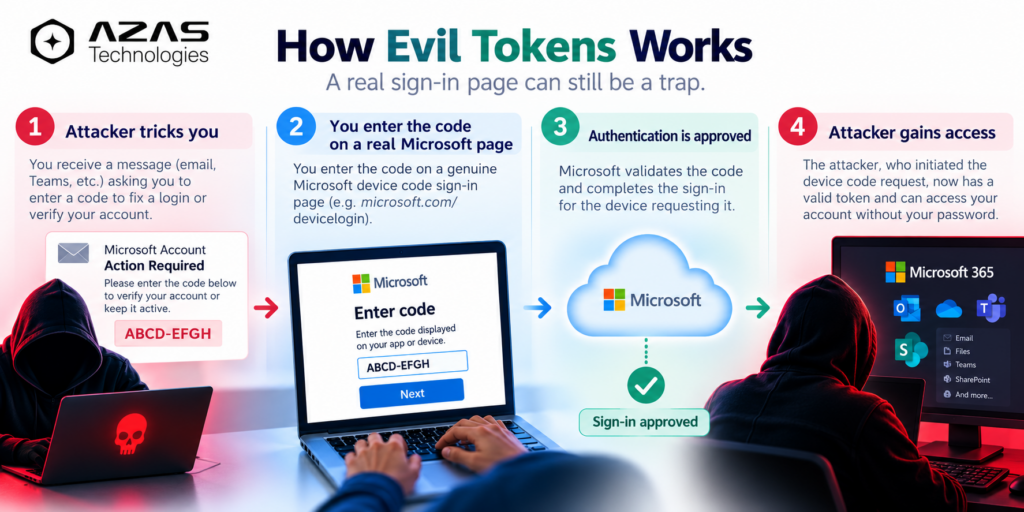
How does the trick work?
Think of signing in to a smart TV. The TV shows a short code. You type that code into a website on your phone, and the TV gets access to your account.
Now imagine the TV belongs to a scammer.
- The scammer starts a sign-in and gets a code.
- A message persuades you to enter that code. It might claim you need to open a file or deal with an invoice.
- You enter the code on Microsoft’s genuine sign-in page and approve the request.
- The scammer’s session receives an access token: a digital pass that can open parts of your account.
Your password is not handed to the scammer in this flow. You may even complete your normal extra sign-in check. The problem is which session you approved. A real website address alone cannot answer that question.
Where does AI come in?
Microsoft says EvilTokens offered AI tools to tailor phishing messages. After gaining access, attackers could use AI to sift through stolen inboxes and look for valuable conversations, such as invoices and payment discussions. The code approval itself uses an existing sign-in feature; AI helps the attackers write convincing messages and sort what they find.
What should you do?
If you receive a surprise sign-in code: Pause. Only enter a device code when you started the sign-in on a device you recognize. Read the app name and sign-in prompt before approving anything. When in doubt, contact your IT team through a channel you already trust.
If you entered one: Tell your IT or security team immediately, even if nothing looks wrong. They can check the sign-in, revoke sessions, and look for changes to your inbox. A password change alone may not remove an active session.
If you manage accounts: Allow device code sign-in only where your organization needs it. Microsoft recommends blocking that flow wherever possible, investigating suspected account compromise, revoking affected sessions, and checking for suspicious inbox rules. See the mitigation guidance in Microsoft’s report for product-specific steps.
For organizations reviewing their wider security approach, see AZAS Technologies: Cybersecurity Services
Microsoft disrupted the systems used to run EvilTokens. The sign-in method it abused still exists, so the habit to remember is simple: a real login page can approve the wrong device.
Source and date: Microsoft Threat Intelligence, Microsoft Defender Experts, and Microsoft Security Research, September 22, 2026. This article explains that reporting as of September 26, 2026.